> ## Documentation Index
> Fetch the complete documentation index at: https://docs.replit.com/llms.txt
> Use this file to discover all available pages before exploring further.
# Access Management
> Learn how to control access and visibility settings for Replit Apps through the Project Editor interface, including group permissions and user roles.
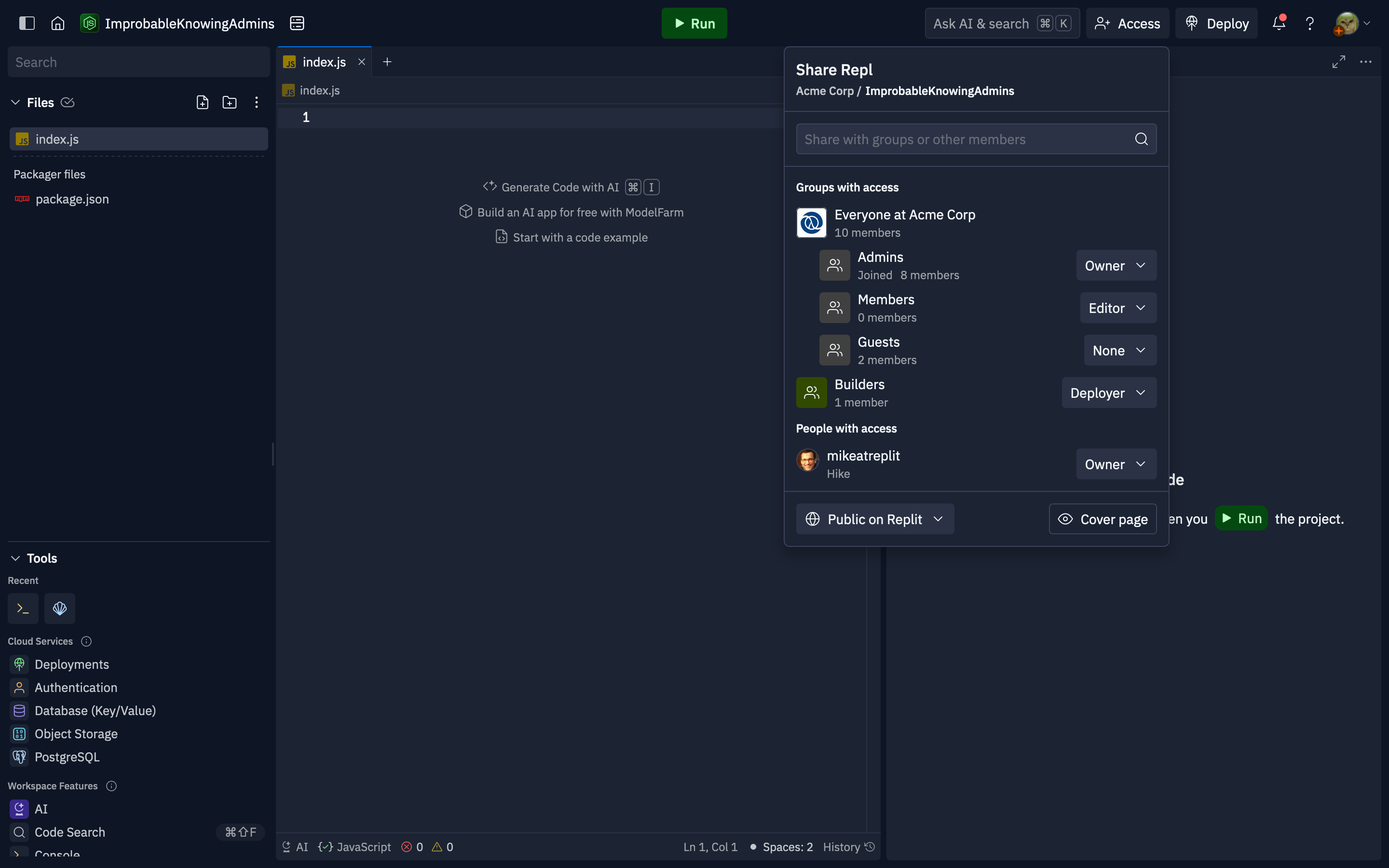
Users with the **Owner** role on an app can manage its access from the Project Editor using the **Invite** button in the header. Organization admins and managers can also grant app access to groups from the [group permissions interface](/teams/identity-and-access-management/groups-and-permissions#setting-group-permissions). All users with access to the Project Editor can see who has access to the Replit App, even if they can't manage it.
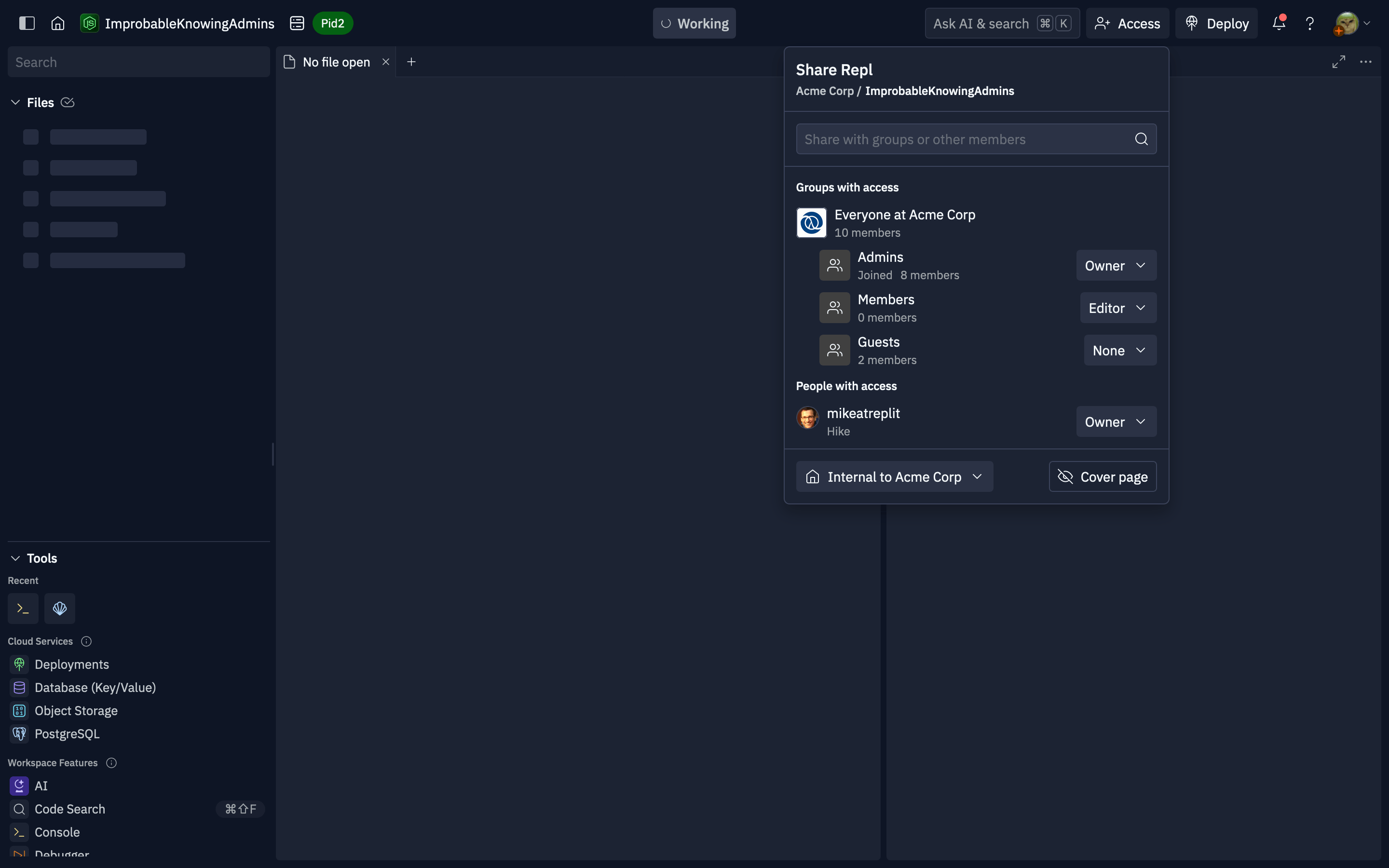 To grant access to a group or member, use the search to locate them by name, username, or email.
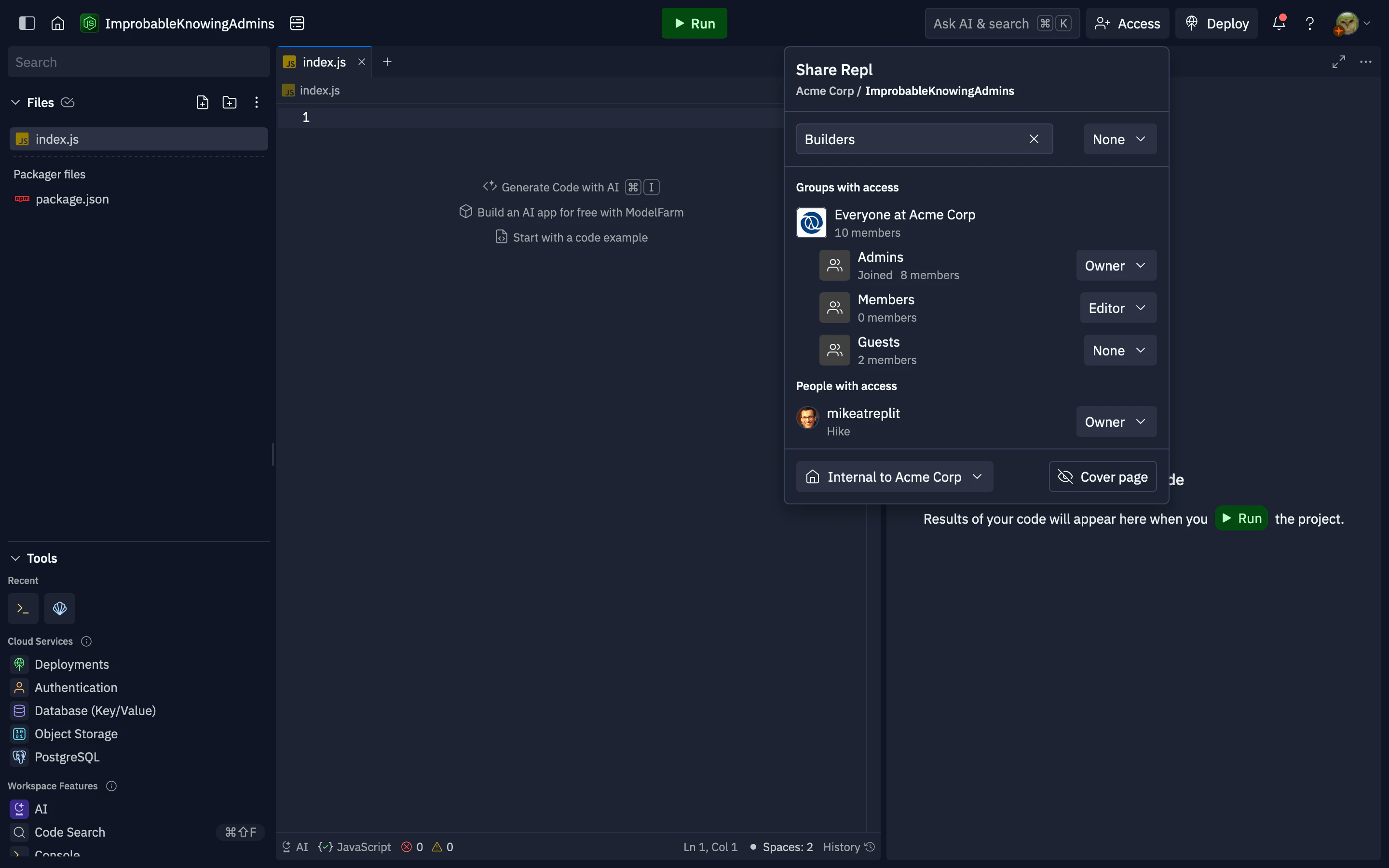 After selecting the result, choose a role from the dropdown: **Owner**, **Publisher**, **Editor**, or **Read-only**. See [Access levels](/teams/identity-and-access-management/groups-and-permissions#access-levels) for what each role allows. The group or user will be added to the "Groups with access" or "People with access" section below. To change or remove access later, select the role dropdown next to an existing group or person and pick a new role, or **None** to revoke access.
* If you enter an email address instead of selecting a name, you can grant **Publisher**, **Editor**, or **Read-only**, but not **Owner**.
* Organization members on a [Viewer seat](/teams/identity-and-access-management/viewer-seats) cannot be added individually. Add them to a group, then grant that group access to the app. Their app access is capped at **Read-only** no matter which role the group has.
This popover controls who in your organization can see and work on the Replit App, including the **internal** (organization-only) audience when that option is available. App source code is not available as a platform-wide **public to Replit** listing; only users and groups you grant access can see that the app exists and open it, according to your org rules.
After selecting the result, choose a role from the dropdown: **Owner**, **Publisher**, **Editor**, or **Read-only**. See [Access levels](/teams/identity-and-access-management/groups-and-permissions#access-levels) for what each role allows. The group or user will be added to the "Groups with access" or "People with access" section below. To change or remove access later, select the role dropdown next to an existing group or person and pick a new role, or **None** to revoke access.
* If you enter an email address instead of selecting a name, you can grant **Publisher**, **Editor**, or **Read-only**, but not **Owner**.
* Organization members on a [Viewer seat](/teams/identity-and-access-management/viewer-seats) cannot be added individually. Add them to a group, then grant that group access to the app. Their app access is capped at **Read-only** no matter which role the group has.
This popover controls who in your organization can see and work on the Replit App, including the **internal** (organization-only) audience when that option is available. App source code is not available as a platform-wide **public to Replit** listing; only users and groups you grant access can see that the app exists and open it, according to your org rules.